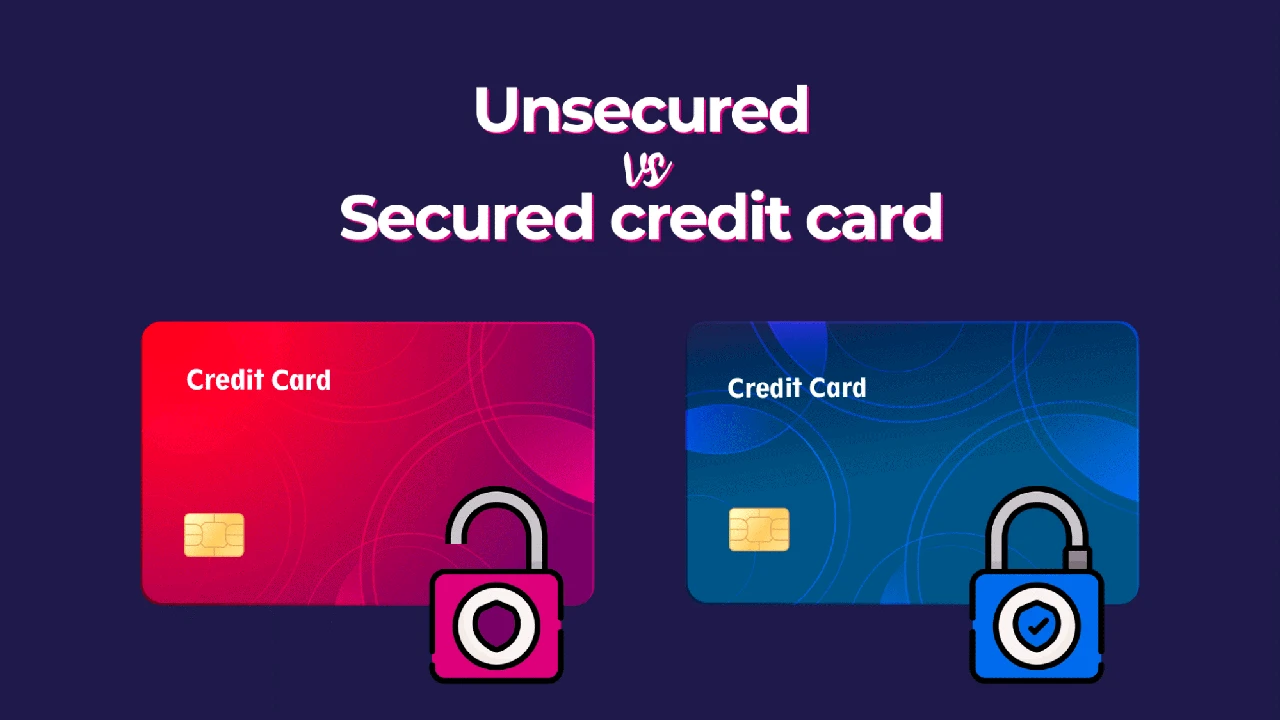
Implement best practices for secure and efficient online bill payments to manage your expenses.
Implement best practices for secure and efficient online bill payments to manage your expenses. In today's fast-paced digital world, managing your finances effectively is more crucial than ever. Online bill payments have become a cornerstone of modern financial management, offering unparalleled convenience, speed, and often, cost savings. Gone are the days of writing checks, buying stamps, and rushing to the mailbox. Now, with just a few clicks, you can settle your dues from the comfort of your home, office, or even on the go. But with this convenience comes the responsibility of ensuring security and efficiency. This comprehensive guide will walk you through the best practices for online bill payments, helping you streamline your financial life while keeping your money safe.
Understanding the Landscape of Online Bill Payments
Online bill payments encompass a wide range of methods, each with its own set of advantages and considerations. Knowing the different types available can help you choose the most suitable option for each of your bills.
Direct Payments via Biller Websites: Convenience and Control
Many service providers, from utility companies to credit card issuers, offer direct payment portals on their websites. This method is often preferred for its directness and the control it gives you over each transaction. You typically log into your account, view your bill, and initiate a payment using your bank account details or a debit/credit card. This method allows you to review your bill details thoroughly before paying, which is excellent for catching discrepancies.
Bank Bill Pay Services: Centralized Management and Automation
Most banks offer a bill pay service that allows you to pay multiple bills from a single platform. This can be incredibly convenient for managing various recurring expenses. You can set up one-time payments or schedule recurring payments for fixed amounts, like rent or loan installments. Some bank bill pay services even allow you to receive e-bills directly within their platform, further centralizing your financial management. This is a fantastic option for those who prefer a consolidated view of their outgoing payments.
Third-Party Payment Apps: Flexibility and Mobile Access
Apps like PayPal, Venmo, Zelle, and others have expanded their functionalities to include bill payment options. While primarily known for person-to-person transfers, many now partner with billers to facilitate payments. These apps offer immense flexibility, especially for mobile users, allowing you to pay bills from your smartphone or tablet. They often come with user-friendly interfaces and instant payment notifications. However, it's crucial to ensure that the specific biller you need to pay is supported by the app you choose.
Automatic Payments and Autopay: Set It and Forget It
For recurring bills with fixed amounts, setting up automatic payments (autopay) directly with the biller or through your bank can be a huge time-saver. This ensures that your bills are paid on time every month, reducing the risk of late fees and negative impacts on your credit score. While incredibly convenient, it's vital to monitor your accounts regularly to ensure sufficient funds and to catch any erroneous charges. This method is particularly useful for subscriptions, loan payments, and utility bills that don't fluctuate much.
Security First: Protecting Your Financial Information Online
Security is paramount when dealing with online financial transactions. A single breach can lead to significant financial and personal distress. Here's how to keep your online bill payments secure.
Strong, Unique Passwords and Two-Factor Authentication: Your Digital Fortress
This cannot be stressed enough. Use strong, unique passwords for every financial account. A strong password combines uppercase and lowercase letters, numbers, and symbols, and is at least 12 characters long. Avoid using easily guessable information like birthdays or pet names. Even better, enable two-factor authentication (2FA) wherever possible. This adds an extra layer of security, requiring a second form of verification (like a code sent to your phone) in addition to your password. Think of it as a double lock on your digital fortress.
Secure Wi-Fi Connections: Public Networks are Risky Business
Always make online payments over a secure, private Wi-Fi connection. Public Wi-Fi networks, like those at coffee shops or airports, are often unsecured and can be easily intercepted by malicious actors. If you must make a payment on the go, use your mobile data connection, which is generally more secure than public Wi-Fi.
Regularly Monitor Account Statements: Your Early Warning System
Make it a habit to regularly review your bank and credit card statements. Look for any unauthorized transactions or discrepancies. The sooner you spot something unusual, the quicker you can act to mitigate potential damage. Many banks offer alerts for transactions, which can be incredibly helpful.
Beware of Phishing Scams: Don't Click That Link
Phishing attempts are rampant. Be extremely cautious of emails or messages that claim to be from your bank or a biller, asking for personal information or prompting you to click on suspicious links. Always go directly to the official website by typing the URL into your browser, rather than clicking on links in emails. Legitimate companies will rarely ask for sensitive information via email.
Keep Your Software Updated: Patching Up Vulnerabilities
Ensure your operating system, web browser, and antivirus software are always up to date. Software updates often include critical security patches that protect against newly discovered vulnerabilities. Think of it as regularly reinforcing the walls of your digital fortress.
Efficiency and Organization: Streamlining Your Payment Process
Beyond security, efficiency and organization are key to stress-free online bill payments. Here's how to optimize your process.
Create a Payment Schedule: Never Miss a Due Date
Develop a clear payment schedule. You can use a digital calendar, a spreadsheet, or a dedicated budgeting app to track due dates for all your bills. This proactive approach helps you avoid late fees and maintain a good credit history. Consider aligning due dates with your paydays to ensure funds are always available.
Set Up Payment Reminders: A Gentle Nudge
Many billers and bank bill pay services offer email or SMS reminders before a bill is due. Take advantage of these. They serve as a helpful nudge, especially for bills that aren't on autopay or have variable amounts.
Go Paperless: Reduce Clutter and Environmental Impact
Opt for e-bills whenever possible. This reduces paper clutter, is environmentally friendly, and often allows you to receive your bills faster. Most billers offer this option, and you can usually manage it through your online account.
Maintain Digital Records: For Future Reference and Disputes
Even with paperless billing, it's wise to keep digital records of your payments. Most online payment portals allow you to download payment confirmations or statements. Save these in an organized folder on your computer or cloud storage. This can be invaluable for budgeting, tax purposes, or resolving any payment disputes that may arise.
Review Payment Confirmations: Double-Check for Accuracy
After making a payment, always review the confirmation screen or email. Verify that the amount paid, the date, and the recipient are all correct. It's a quick step that can prevent headaches down the line.
Recommended Tools and Products for Enhanced Online Bill Payments
To further enhance your online bill payment experience, consider leveraging some of these popular and highly-rated tools and services. We'll look at a few categories and specific products, comparing their features and typical pricing models.
Budgeting and Bill Tracking Apps: Your Financial Command Center
These apps help you see all your accounts in one place, track spending, and often include bill reminders. They are invaluable for maintaining an organized financial life.
Mint: Free and Feature-Rich
* **Features:** Mint, by Intuit, is a popular free personal finance app that aggregates all your financial accounts (bank accounts, credit cards, investments, loans) in one dashboard. It automatically categorizes transactions, helps you create budgets, tracks your spending, and provides bill reminders. It also offers free credit score monitoring.
* **Use Case:** Ideal for individuals who want a comprehensive, free tool to manage their entire financial picture, including bill payments, budgeting, and debt tracking.
* **Comparison:** Compared to paid alternatives, Mint offers a robust feature set for free, though it does include ads. Its strength lies in its aggregation capabilities and user-friendly interface.
* **Pricing:** Free.
You Need A Budget (YNAB): The Envelope System Reinvented
* **Features:** YNAB is based on the envelope budgeting system, where every dollar is assigned a job. It's highly effective for proactive budgeting and ensuring you have funds allocated for upcoming bills. It offers bank syncing, goal tracking, and detailed reporting. YNAB emphasizes living on last month's income to break the paycheck-to-paycheck cycle.
* **Use Case:** Best for users who are serious about budgeting, want to be very hands-on with their money, and are willing to pay for a powerful tool that encourages financial discipline.
* **Comparison:** Unlike Mint, YNAB is a paid service, but its methodology is often cited as life-changing for users struggling with overspending. It's less about tracking past spending and more about planning future spending.
* **Pricing:** Approximately $14.99/month or $99/year (prices can vary, check their website for current rates). They often offer a free trial.
Rocket Money (formerly Truebill): Subscription Management and Bill Negotiation
* **Features:** Rocket Money excels at identifying and canceling unwanted subscriptions, negotiating bills (like internet or cable), and tracking your spending. It also offers bill reminders and a comprehensive overview of your financial accounts.
* **Use Case:** Great for individuals who have many subscriptions and want to save money by identifying and canceling unused ones, or for those who want help negotiating down their recurring bills.
* **Comparison:** While it offers budgeting features, its standout capabilities are subscription management and bill negotiation, which many other apps don't offer as a core service.
* **Pricing:** Free for basic features; premium features (like bill negotiation, custom categories, and advanced reporting) are available via subscription, typically ranging from $3 to $12 per month, with a 'pay what you want' model.
Password Managers: Your Secure Keyring
Using a password manager is a non-negotiable best practice for online security. They generate strong, unique passwords and store them securely, so you only need to remember one master password.
LastPass: Widely Used and Feature-Rich
* **Features:** LastPass offers secure password storage, automatic password generation, form filling, and secure sharing of passwords. It has browser extensions and mobile apps for seamless access across devices. It also includes a security dashboard to identify weak or reused passwords.
* **Use Case:** Excellent for anyone who struggles with remembering multiple complex passwords and wants a convenient yet secure way to manage their online credentials for bill payment sites and other accounts.
* **Comparison:** LastPass offers a robust free tier, but its paid premium version unlocks cross-device syncing and other advanced features. It's a very popular choice due to its ease of use and comprehensive features.
* **Pricing:** Free for basic features; Premium starts around $3/month; Families plan around $4/month (check their website for current rates).
1Password: Strong Security and User Experience
* **Features:** 1Password is known for its strong security architecture and excellent user interface. It offers secure password storage, digital wallet features (for credit card details), secure notes, and travel mode (which hides sensitive data when crossing borders). It integrates well with various browsers and operating systems.
* **Use Case:** Ideal for users who prioritize top-tier security and a polished user experience, and are willing to pay for it. It's particularly favored by those with multiple devices and family members who need shared access to certain logins.
* **Comparison:** Generally considered one of the most secure and user-friendly password managers, often preferred by those who value design and robust features over a free option.
* **Pricing:** Personal plan around $2.99/month; Family plan around $4.99/month (check their website for current rates). Free trial available.
Virtual Card Numbers: Adding a Layer of Protection
Some credit card companies and services offer virtual card numbers. These are temporary, randomly generated card numbers linked to your actual credit card, which can be used for online purchases and bill payments. If a virtual card number is compromised, your actual card details remain safe.
Privacy.com: Dedicated Virtual Card Service
* **Features:** Privacy.com allows you to create virtual debit cards for online transactions. You can set spending limits, pause or close cards at any time, and even create single-use cards. This adds a significant layer of security by masking your real bank account or credit card number.
* **Use Case:** Perfect for anyone concerned about online security, especially when making payments to new or less-trusted websites. It's also great for managing subscriptions by creating a dedicated card for each, with a spending limit.
* **Comparison:** While some banks offer similar features, Privacy.com specializes in virtual cards, offering more granular control and a dedicated interface for managing them.
* **Pricing:** Free for basic features (up to 12 virtual cards per month); Pro plan for more cards and features starts around $10/month (check their website for current rates).
Troubleshooting Common Online Payment Issues
Even with the best practices in place, issues can sometimes arise. Knowing how to troubleshoot common problems can save you time and frustration.
Payment Not Posted: Check Confirmation and Contact Biller
If a payment you made hasn't posted to your account, first check your payment confirmation (email or screenshot) for the transaction ID and date. Then, contact the biller's customer service with this information. There might be a processing delay, or an error occurred on their end. Keep records of all communications.
Late Fees Incurred Despite On-Time Payment: Provide Proof
If you're charged a late fee but believe you paid on time, gather your payment confirmation as proof. Contact the biller and politely explain the situation, providing the confirmation details. Most companies will waive a late fee if you can prove timely payment, especially if it's your first time.
Duplicate Payments: Act Quickly for Refunds
Accidentally making a duplicate payment can happen. As soon as you notice it, contact the biller immediately. Provide them with both transaction IDs. They should be able to process a refund for the duplicate payment. If the payment has already cleared, it might take a few business days for the refund to appear in your account.
Website or App Glitches: Try Again Later or Alternate Method
Sometimes, a website or app might experience temporary technical difficulties. If you encounter an error message, try clearing your browser's cache and cookies, or try again after some time. If the issue persists, consider using an alternative payment method (e.g., your bank's bill pay service instead of the biller's website) or contacting customer support.
Compromised Account: Immediate Action Required
If you suspect your financial account (bank, credit card, or biller account) has been compromised, act immediately. Change your password, enable 2FA if not already active, and contact your bank or credit card company to report the suspicious activity. They can help you secure your account and investigate any fraudulent transactions. Also, consider placing a fraud alert on your credit report.
The Future of Online Bill Payments: What's Next?
The landscape of online bill payments is constantly evolving. We're seeing trends towards even greater integration, AI-powered insights, and enhanced security measures.
Real-Time Payments: Instant Gratification
Many countries are moving towards real-time payment systems, where transactions clear almost instantly. This will further reduce processing delays and provide immediate confirmation of payments, which is a significant step forward from traditional ACH transfers that can take days.
AI and Machine Learning: Smarter Financial Management
Artificial intelligence and machine learning are increasingly being integrated into financial apps. These technologies can analyze your spending patterns, predict upcoming bills, identify potential savings, and even flag unusual transactions that might indicate fraud. Imagine an app that not only reminds you of a bill but also suggests the best way to pay it based on your current financial situation.
Biometric Authentication: Fingerprints and Face IDs
Biometric authentication (like fingerprint or facial recognition) is becoming more common for accessing financial apps and authorizing payments. This offers a convenient and highly secure alternative to traditional passwords, further streamlining the payment process while enhancing security.
Open Banking and API Integration: Seamless Financial Ecosystems
Open banking initiatives allow for secure sharing of financial data between different financial institutions and third-party providers, with your consent. This can lead to more integrated and personalized financial services, where bill payments are just one seamless part of a larger financial ecosystem. Imagine your budgeting app automatically pulling bill details from all your providers without manual input.
Online bill payments are an indispensable part of modern financial life. By adopting these best practices for security, efficiency, and organization, and by leveraging the right tools, you can transform a potentially tedious task into a smooth, secure, and stress-free experience. Stay vigilant, stay organized, and embrace the convenience that digital finance offers.
:max_bytes(150000):strip_icc()/277019-baked-pork-chops-with-cream-of-mushroom-soup-DDMFS-beauty-4x3-BG-7505-5762b731cf30447d9cbbbbbf387beafa.jpg)