Comparing Digital Wallets for Everyday Spending
Evaluate various digital wallets to find the best option for your daily spending and online purchases.
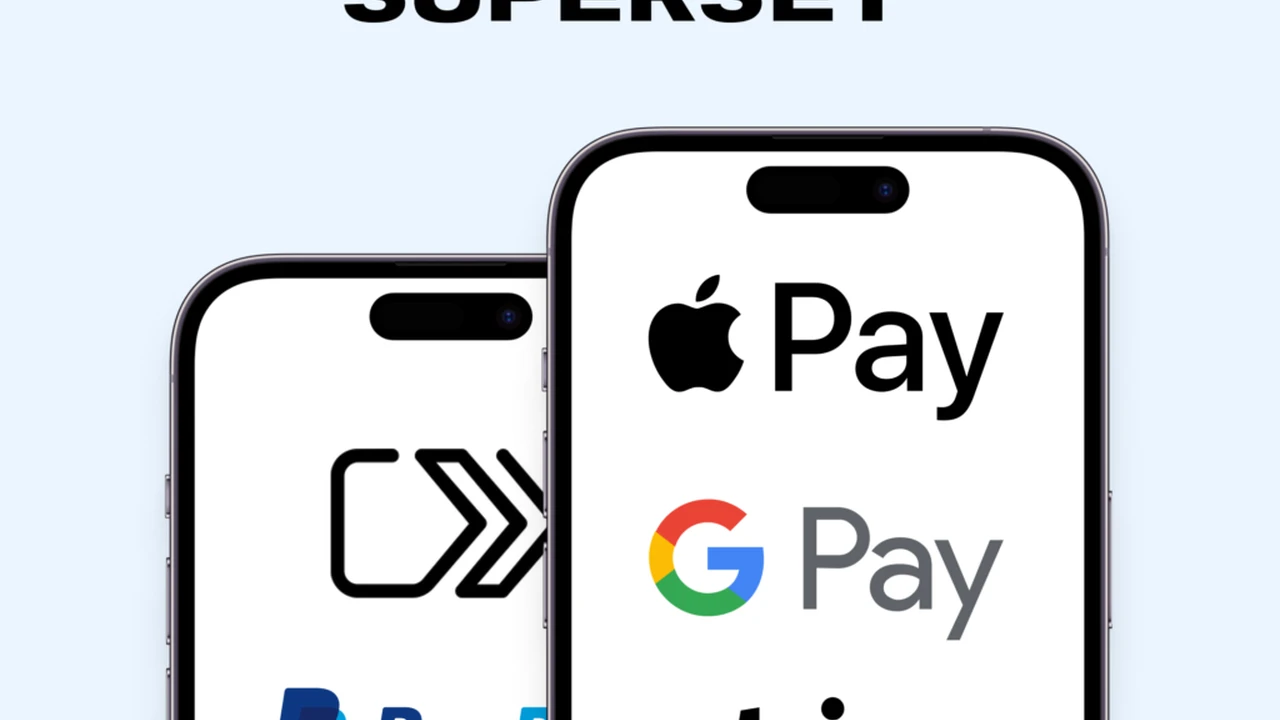
Evaluate various digital wallets to find the best option for your daily spending and online purchases. Digital wallets have become an indispensable tool for managing our finances in the modern world. They offer convenience, security, and often, rewards that traditional payment methods simply can't match. But with so many options out there, how do you pick the right one for your everyday spending and online purchases? Let's dive deep into the world of digital wallets, comparing the top contenders and helping you make an informed choice.
Comparing Digital Wallets for Everyday Spending
Understanding Digital Wallets What They Are and Why You Need One
So, what exactly is a digital wallet? Think of it as a virtual version of your physical wallet, stored on your smartphone, smartwatch, or even your computer. It securely holds your credit and debit card information, loyalty cards, gift cards, and sometimes even digital IDs. Instead of fumbling for your plastic cards, you can simply tap your device at a point-of-sale terminal or click a button online to make a payment. The primary benefits? Speed, security, and often, a more organized financial life.
Why do you need one? Beyond the obvious convenience, digital wallets add an extra layer of security. Your actual card numbers aren't transmitted during a transaction; instead, a unique, encrypted token is used. This 'tokenization' makes it much harder for fraudsters to steal your financial information. Plus, many digital wallets offer features like transaction tracking, budgeting tools, and even rewards programs that can help you save money or earn points on your purchases.
Top Contenders Apple Pay Google Pay and Samsung Pay
When it comes to mainstream digital wallets, three names dominate the landscape: Apple Pay, Google Pay, and Samsung Pay. Each has its strengths and weaknesses, and the best choice for you often depends on the device you use and your specific spending habits.
Apple Pay Seamless Integration for Apple Users
If you're an iPhone, Apple Watch, iPad, or Mac user, Apple Pay is likely your go-to. It's deeply integrated into the Apple ecosystem, offering a smooth and intuitive user experience. Setting it up is a breeze: just open the Wallet app, tap the plus sign, and follow the prompts to add your cards. You can use it for in-store purchases at NFC-enabled terminals, within apps, and on websites that support Apple Pay.
Key Features of Apple Pay
- Security: Uses Face ID, Touch ID, or a passcode for authentication. Transactions are tokenized, meaning your card number is never shared with the merchant.
- Privacy: Apple doesn't store your transaction history or card numbers on its servers.
- Widespread Acceptance: Accepted almost anywhere contactless payments are taken, and widely supported online and in apps.
- Apple Card Integration: If you have an Apple Card, you get 2% Daily Cash back on Apple Pay purchases.
- Transit Cards: Supports various transit cards in major cities worldwide.
Apple Pay Use Cases and Product Recommendations
In-Store Purchases: Simply double-click the side button on your iPhone or Apple Watch, authenticate with Face ID/Touch ID, and hold your device near the reader. It's incredibly fast and convenient for daily coffee runs, grocery shopping, or retail therapy.
Online Shopping: Look for the Apple Pay button at checkout on websites and in apps. It pre-fills your shipping and billing information, making online purchases a matter of seconds.
Transit: In cities like New York, London, or Tokyo, you can add your transit card to Apple Wallet and tap your iPhone or Apple Watch to ride the subway or bus.
Product Recommendation: While Apple Pay is a service, its seamless experience is best enjoyed with the latest Apple devices. An iPhone 15 Pro (starting around $999 USD) or an Apple Watch Series 9 (starting around $399 USD) will give you the most fluid Apple Pay experience. For online shopping, any Mac or iPad will work perfectly.
Google Pay Versatility Across Android and Web
Google Pay (formerly Android Pay and Google Wallet) is Google's answer to digital payments. It's available on Android phones, Wear OS smartwatches, and through web browsers. Its strength lies in its broad compatibility and integration with Google's vast ecosystem of services, from Gmail to Google Maps.
Key Features of Google Pay
- Broad Device Compatibility: Works on most Android phones with NFC, and Wear OS smartwatches.
- Security: Uses tokenization and requires a screen lock (PIN, pattern, fingerprint) for in-store payments.
- Online and In-App Payments: Widely accepted online and in apps, often integrated with Google Chrome's autofill.
- Peer-to-Peer Payments: Send and receive money from friends and family directly within the app.
- Loyalty and Gift Cards: Easily store and use loyalty cards and gift cards.
- Transit Cards: Supports various transit cards in select cities.
Google Pay Use Cases and Product Recommendations
In-Store Purchases: Unlock your Android phone and hold it near the NFC terminal. No need to open the app first, which is a nice touch for speed.
Online Shopping: When checking out online, look for the Google Pay button. It pulls your payment and shipping details from your Google account, streamlining the process.
Sending Money: Need to split a bill with friends? Google Pay allows for quick peer-to-peer transfers, similar to Venmo or Cash App.
Product Recommendation: Any modern Android smartphone with NFC capabilities will work well with Google Pay. A Samsung Galaxy S24 (starting around $799 USD) or a Google Pixel 8 (starting around $699 USD) are excellent choices for a premium Android experience. For smartwatch payments, a Samsung Galaxy Watch 6 (starting around $299 USD) or a Google Pixel Watch 2 (starting around $349 USD) offer seamless integration.
Samsung Pay Unique MST Technology
Samsung Pay stands out from the crowd due to its unique Magnetic Secure Transmission (MST) technology, in addition to NFC. This means it can work not only at modern NFC terminals but also at older point-of-sale systems that only accept traditional magnetic stripe cards. This gives Samsung Pay a significant advantage in terms of acceptance, especially in regions where NFC adoption is still growing.
Key Features of Samsung Pay
- MST and NFC Compatibility: The biggest differentiator. Works almost anywhere you can swipe or tap a card.
- Security: Uses tokenization, fingerprint, iris scan, or PIN for authentication. Samsung Knox provides an extra layer of hardware-level security.
- Rewards Program: Often includes a rewards program (Samsung Rewards) that gives you points for every purchase, redeemable for gift cards or other items.
- Loyalty and Gift Cards: Store and use loyalty and gift cards easily.
Samsung Pay Use Cases and Product Recommendations
In-Store Purchases: Swipe up from the bottom of your Samsung phone's screen, authenticate, and hold it near the card reader (either NFC or magnetic stripe). This versatility is fantastic for smaller shops or older terminals.
Online Shopping: Like Apple Pay and Google Pay, Samsung Pay is also supported for online and in-app purchases.
Product Recommendation: Samsung Pay is exclusive to Samsung Galaxy devices. A Samsung Galaxy S24 Ultra (starting around $1,299 USD) offers the full suite of Samsung Pay features, including MST. Even older Samsung flagships like the Galaxy S21 (can be found for around $300-400 USD refurbished) still support MST, making them a cost-effective way to experience this unique feature. For smartwatches, the Samsung Galaxy Watch 6 Classic (starting around $399 USD) also supports Samsung Pay.
Other Notable Digital Wallets and Payment Services
While Apple Pay, Google Pay, and Samsung Pay cover a large portion of the digital wallet market, there are other services and apps that cater to specific needs or offer unique features.
PayPal A Web-Based Powerhouse
PayPal isn't a traditional 'tap-to-pay' digital wallet in the same vein as the others, but it's an absolute giant in online payments. It acts as an intermediary between your bank account/cards and online merchants, adding a layer of security and buyer protection.
Key Features of PayPal
- Online Dominance: Accepted by millions of online retailers worldwide.
- Buyer Protection: Offers robust buyer protection policies for eligible purchases.
- Peer-to-Peer Payments: Send and receive money globally with ease.
- In-Store QR Code Payments: Some retailers support PayPal QR code payments in-store.
- Credit and Debit Cards: You can link various payment methods and choose which one to use for each transaction.
PayPal Use Cases and Product Recommendations
Online Shopping: The most common use. Simply select PayPal at checkout. It's great for international purchases as it handles currency conversions.
Freelance Payments: Many freelancers and small businesses use PayPal for invoicing and receiving payments.
Product Recommendation: PayPal is primarily a web and app-based service. No specific hardware is required beyond a smartphone or computer. The PayPal mobile app (free) is essential for managing your account on the go.
Venmo and Cash App Social Payments and Beyond
Venmo (owned by PayPal) and Cash App (from Block, Inc.) are primarily known for their peer-to-peer payment capabilities, making it easy to split bills, send money to friends, or pay for services. However, they've expanded their features to include debit cards, direct deposit, and even cryptocurrency trading.
Key Features of Venmo and Cash App
- Social Payments: Easy to send and receive money with friends, often with a social feed.
- Debit Cards: Both offer physical and virtual debit cards linked to your balance, allowing you to spend at merchants.
- Direct Deposit: You can set up direct deposit for your paycheck.
- Cryptocurrency and Stock Trading: Cash App, in particular, allows for buying and selling Bitcoin and stocks.
Venmo and Cash App Use Cases and Product Recommendations
Splitting Bills: Perfect for sharing the cost of dinner, rent, or group activities.
Small Business Payments: Many small businesses and service providers accept Venmo or Cash App for quick payments.
Everyday Spending: Use their linked debit cards for in-store or online purchases, drawing directly from your app balance.
Product Recommendation: These are app-centric services. The Venmo app (free) and Cash App (free) are the core products. Both offer optional physical debit cards (often free or low cost) that can be used anywhere Mastercard (Venmo) or Visa (Cash App) is accepted.
Comparing Features Security and Acceptance
Let's break down how these digital wallets stack up against each other in key areas.
Security Measures Protecting Your Financial Data
All major digital wallets employ robust security features. Tokenization is standard across Apple Pay, Google Pay, and Samsung Pay, meaning your actual card number is never exposed to the merchant. Instead, a unique, one-time-use token is generated for each transaction. This significantly reduces the risk of data breaches.
Authentication:
- Apple Pay: Requires Face ID, Touch ID, or passcode.
- Google Pay: Requires screen lock (PIN, pattern, fingerprint).
- Samsung Pay: Requires fingerprint, iris scan, or PIN.
- PayPal/Venmo/Cash App: Rely on app-level PINs, biometrics, and strong passwords.
Samsung Pay's additional Samsung Knox security platform provides hardware-level protection, which is a nice bonus for Samsung device users. PayPal, Venmo, and Cash App offer strong encryption and fraud monitoring for their online and app-based transactions.
Acceptance Rates Where Can You Use Them
This is where the rubber meets the road. The more places you can use your digital wallet, the more convenient it becomes.
- Apple Pay & Google Pay: Widely accepted at any merchant with an NFC-enabled contactless payment terminal. This is becoming increasingly common globally. Also widely accepted online and in apps.
- Samsung Pay: Has the broadest in-store acceptance due to its MST technology, working at both NFC and traditional magnetic stripe terminals. This is a huge advantage in areas with older POS systems. Also accepted online and in apps.
- PayPal: Dominates online acceptance. Less common for in-store tap-to-pay, though some retailers support QR code payments.
- Venmo & Cash App: Primarily for peer-to-peer. Their associated debit cards offer widespread acceptance wherever Mastercard/Visa are taken.
Rewards and Incentives Getting More for Your Money
Some digital wallets offer their own rewards programs, while others simply pass through the rewards from your linked credit cards.
- Apple Pay: No inherent rewards unless you use an Apple Card (2% Daily Cash). Otherwise, you earn rewards from your linked credit card.
- Google Pay: Occasionally offers promotions or cashback deals, but no consistent rewards program of its own. Relies on your linked card's rewards.
- Samsung Pay: Often has its own Samsung Rewards program, earning points for every transaction that can be redeemed for gift cards or other items. This can be a significant perk.
- PayPal/Venmo/Cash App: Their associated debit cards may offer specific cashback or rewards on certain categories, but generally, their primary 'reward' is convenience and ease of money transfer.
Choosing the Best Digital Wallet for Your Lifestyle
The 'best' digital wallet isn't a one-size-fits-all answer. It really depends on your personal tech ecosystem, where you shop, and what features matter most to you.
For the Apple Enthusiast
If you're deeply embedded in the Apple ecosystem, Apple Pay is the clear winner. Its seamless integration, strong security, and widespread acceptance make it incredibly convenient for both in-store and online purchases. You'll appreciate how effortlessly it works across your iPhone, Apple Watch, and Mac.
For the Android User Seeking Broad Compatibility
For most Android users, Google Pay offers excellent functionality and broad compatibility. It's fast, secure, and integrates well with other Google services. If you frequently use Google Chrome for online shopping, its autofill capabilities with Google Pay are a huge time-saver.
For the Samsung User Who Wants Maximum Acceptance
If you own a Samsung Galaxy phone, Samsung Pay is a compelling choice, especially if you frequently encounter older payment terminals. Its MST technology gives it an edge in acceptance that no other digital wallet can match. The Samsung Rewards program can also be a nice bonus.
For the Online Shopper and Peer-to-Peer Payer
For heavy online shoppers, PayPal remains an essential tool due to its universal acceptance and strong buyer protection. For social payments and splitting costs with friends, Venmo and Cash App are indispensable. Their associated debit cards also make them versatile for everyday spending.
Tips for Maximizing Your Digital Wallet Experience
Once you've chosen your preferred digital wallet, here are some tips to get the most out of it:
- Link Your Best Rewards Cards: Make sure you link the credit cards that offer the best cashback or points for your spending categories. Your digital wallet simply facilitates the payment; the rewards still come from your card issuer.
- Add Loyalty Cards: Don't forget to add your loyalty cards to your digital wallet. This way, you'll never miss out on points or discounts at your favorite stores.
- Set Up Default Cards: Most digital wallets allow you to set a default card for quick payments. Choose the one you use most often or the one with the best rewards.
- Enable Biometric Security: Always use Face ID, Touch ID, or fingerprint authentication for your digital wallet. It's far more secure than a PIN or passcode.
- Keep Your Software Updated: Ensure your phone's operating system and your digital wallet app are always up to date. Updates often include security patches and new features.
- Monitor Transactions: Regularly check your digital wallet's transaction history and your bank/credit card statements to catch any unauthorized activity quickly.
- Explore Transit Options: If you live in or visit a city with supported transit systems, add your transit card to your digital wallet for ultimate convenience.
Digital wallets are more than just a trendy way to pay; they're a secure, efficient, and increasingly essential part of modern financial management. By understanding the differences between the top options and choosing the one that best fits your needs, you can streamline your everyday spending and enjoy a more convenient financial life.
:max_bytes(150000):strip_icc()/277019-baked-pork-chops-with-cream-of-mushroom-soup-DDMFS-beauty-4x3-BG-7505-5762b731cf30447d9cbbbbbf387beafa.jpg)